Version 2.5.3 - Hide and isolate selected tasks and unselect empty locations

Version 2.5.3 - Hide and isolate selected tasks and unselect empty locations

New: 

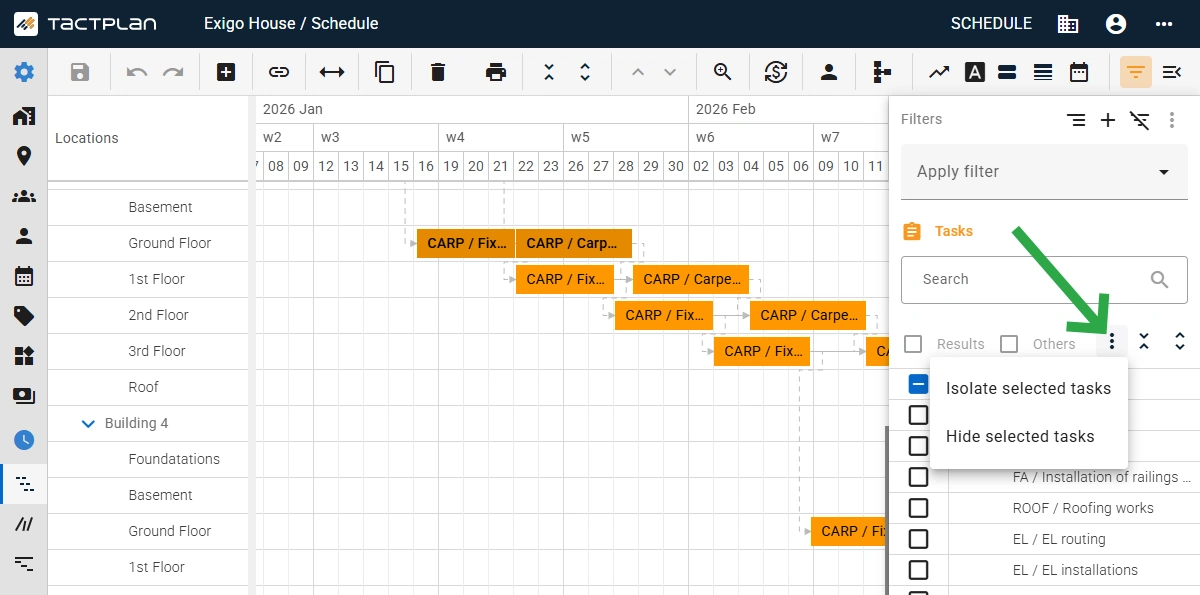
  • Added option in the filter panel to isolate or hide tasks based on selected task in the schedule view.
  • Added option in the filter panel to isolate or hide locations based on the corresponding location task in the schedule view.
  • Added option in the filter panel to deselect empty location, which is location currently with no locations tasks.
  • Added link to the Tactplan Help Center via top bar more icon - support.tactplan.com
  • Support for printing bigger schedules to PDF.
  • Updated of the welcome screen for new users with "get started" guide bullets.
  • Added an option to toggle on/off if quantity change adjusts duration. When toggle is off then change in linked quantity, directly to task or via cost item, will preserve the durations of the location tasks, by adjusting the production factor. The "Quantity change adjusts duration" option is set per task in the task panel on the general tab. Note that the toggle with not affect change in work by e.g. by changing the consumption rate as this will still change duration.

Improvements: 

  • Updated header setup for the Grid view
  • Improved data parser to better support all localizations for dates during export/import

Har du spørgsmål?

Du kan altid kontakte os på info@tactplan.com.
Vi tjekker vores indbakke ofte.

En velfungerende byggeplads starter med en klar plan

Med lokationsbaseret tidsplanlægning ved alle faggruppe præcis, hvor de skal være, og hvilke opgaver de skal udføre. Resultatet er en roligere og mere forudsigelig arbejdsdag - stabilt fremskridt, ingen spildtid og bedre samarbejde på tværs af pladsen - der skaber grundlaget for pålidelig projektlevering.
Prøv det gratis i 14 dage.